

Copies of documents you issue
Keeping copies of the invoices, quotations, and delivery notes you create and issue, in electronic form — how issuing stores the copy, and how to search and export it by date.
This page covers keeping the copy of a document you created and issued to a counterparty, in electronic form rather than on paper. See the overview for what is common to all categories.
5.1 Documents in scope
| Document | In scope |
|---|---|
| Copy of an invoice | Yes |
| Copy of a quotation | Yes |
| Copy of a delivery note or completion report | Yes |
| Payslips and bonus statements | Out of scope (not national-tax documents) |
5.2 Prerequisites
- The document must be created electronically from the start. Documents produced in niyase qualify. A document created elsewhere and captured afterwards belongs to electronic transactions or scanner storage
- Provide the equipment described in 1.4
- Keep a document describing the procedure on file (1.7)
This category does not require a correction and deletion history. What it requires is that every copy you issued is stored with the same content as the data it was created from.
5.3 Creating the document
| Document | Where | State before issue |
|---|---|---|
| Invoice | Accounting → Receivables → Invoices | Draft |
| Quotation | Sales → Quotations | Draft |
| Delivery note / completion report | Sales → Assignments → Delivery notes | (no draft state) |
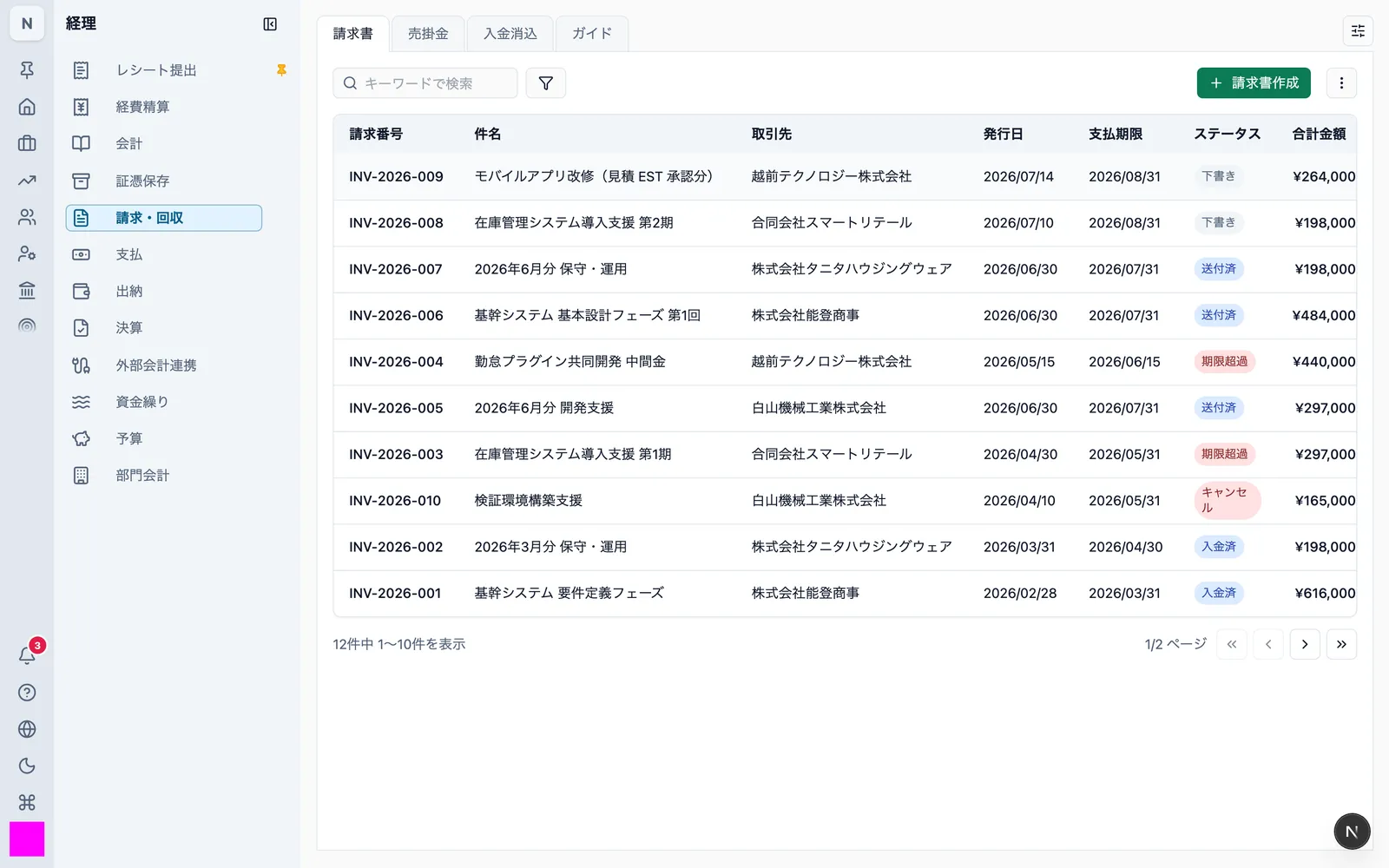
Invoices carry the items required of a qualified invoice.
| Required item | Where it comes from |
|---|---|
| Issuer's registration number (T followed by 13 digits) | Space settings |
| Transaction date | Issue date |
| Description of the transaction | Line items |
| Consideration by tax rate | Line item rates and amounts |
| Consumption tax by rate | Calculated automatically |
| Name of the business receiving the invoice | Counterparty |
5.4 Issuing stores the copy
Choosing "Issue" from the row's action menu stores the PDF as it stands at that moment in Evidence storage as the copy.
| Document | How it is issued |
|---|---|
| Invoice | Change the status from draft to sent |
| Quotation | Action menu → "Issue" (the quotation moves from draft to sent) |
| Delivery note / completion report | Action menu → "Issue" |
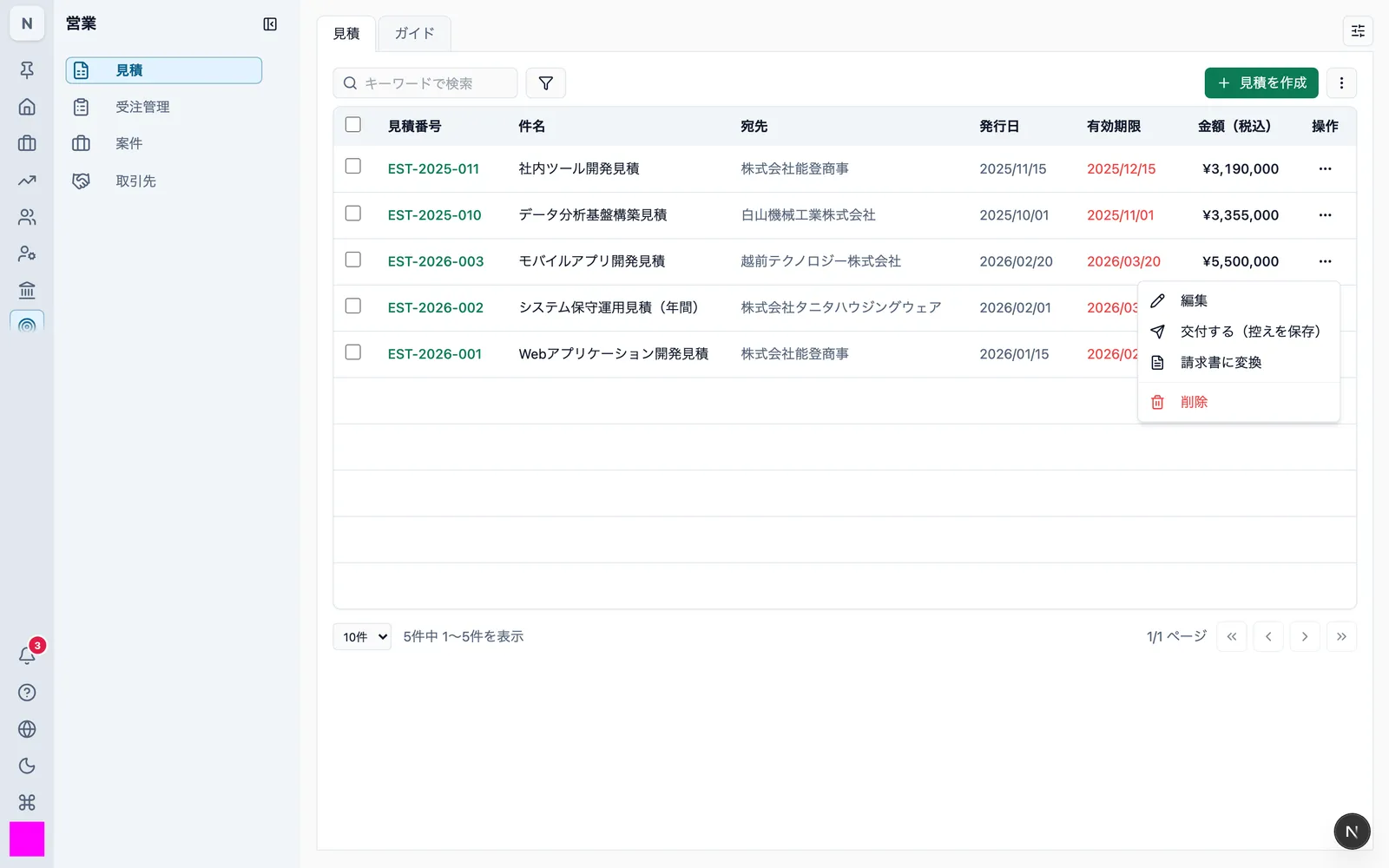
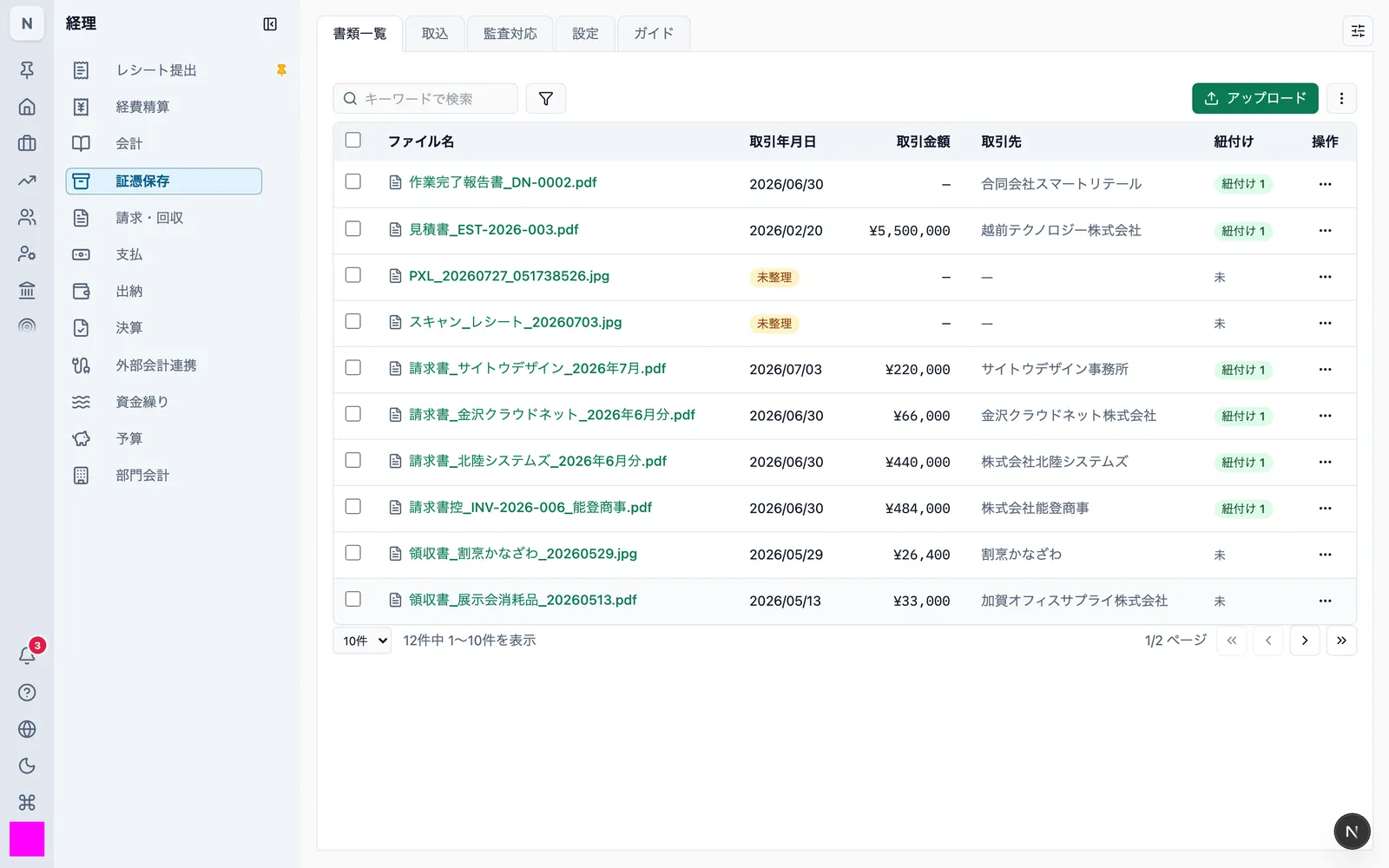
- The stored PDF is fixed at the moment of issue. It is never regenerated afterwards
- The copy appears in the document list with the transaction date (issue date) and counterparty already recorded. The amount is recorded for invoices and quotations; delivery notes carry no amount, so the field stays empty
- The document and its copy are stored linked to each other
All three forms produce the same PDF — niyase Cloud on the server, Desktop and Mobile on the device. The same input yields the same document.
5.5 Re-issuing after a correction
If you correct the content and issue again, a new copy is added. The copy issued earlier is neither overwritten nor removed.
Delivery notes and completion reports have no draft state, so a copy is added each time "Issue" is used.
The result is a one-to-one correspondence between what each counterparty received and what is stored.
5.6 Searching copies
Copies are searched from the document list in Evidence storage.
The only search axis this category requires by law is the transaction date (the issue date).
| Condition | How it is specified |
|---|---|
| Transaction date | A single value, or a range with a start and end date |
| Missing values | Pulls out documents with no date recorded |
A whole taxable period can be searched at once. Storage is never split by period.
The screen is the same as 3.6.
5.7 Viewing and exporting a copy
Open the copy on the "Preview" tab of the document and retrieve it with "Download" (3.7). It can also be printed from the screen.
5.8 Responding to a data download request
The same as 3.8. Specify a date range and export the index CSV together with a zip of the copy PDFs.
5.9 Retention period
Copies must be kept for seven years as a rule, and ten years for a fiscal year in which a loss arises.
Copies live in Evidence storage, so 3.11 applies. Nothing is physically removed by a user action within the retention period.